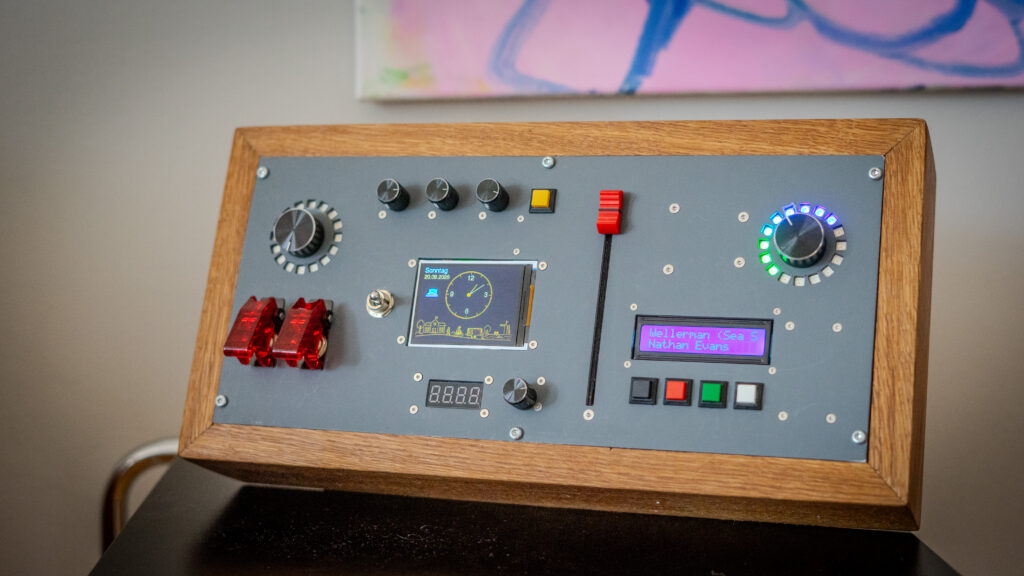
Some projects begin with a problem. This one began with fascination.
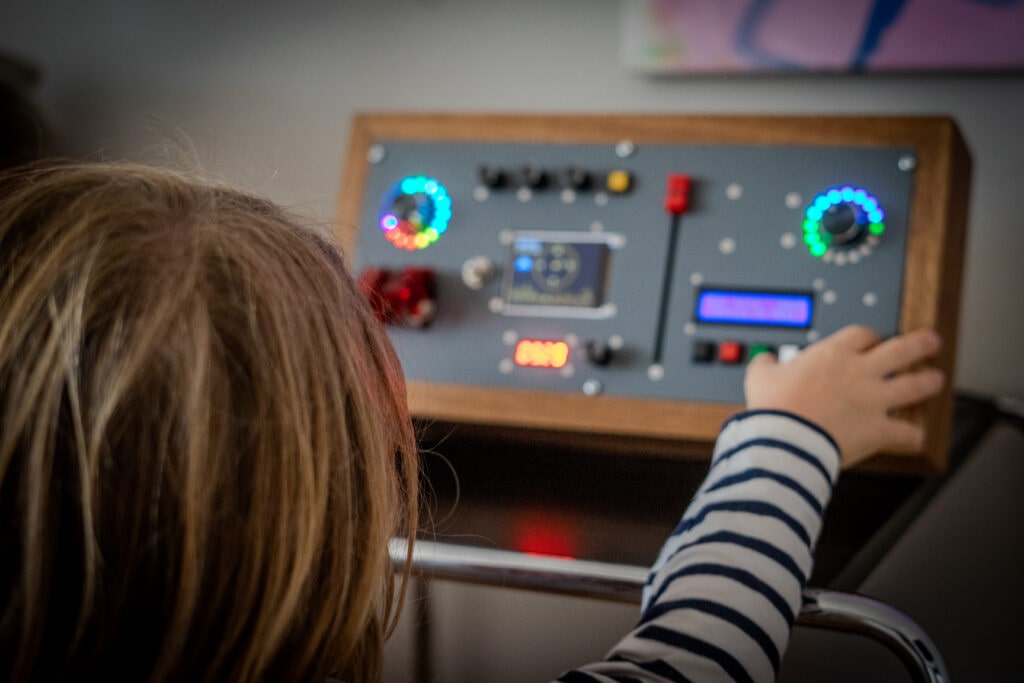
My seven-year-old son loves buttons, switches, displays and almost anything technical. So I wanted to build something that would not simply imitate a control panel, but actually do something: a physical interface to our home, designed around the pleasure of pressing a button and seeing something happen.
The idea
Most smart-home interfaces are designed for adults. They live on phones and tablets, hide functions behind menus and try to make technology disappear.
For this project, I wanted almost the opposite.
The technology should be visible. Lights should have buttons. Music should have controls. Displays should show information. RFID cards should trigger things. Turning, pressing and switching should be part of the experience.
The result slowly became something between a control panel, a piece of furniture and a very personal toy.
Designing for curiosity
One of the most interesting parts of the project was that the interface did not need to be minimal.
In conventional product design, fewer controls are often considered better. Here, abundance was part of the attraction. Different switches should feel different. Displays could have different purposes. Some controls could operate the house, while others could simply create an effect on the device itself.
The question therefore wasn’t: How can I hide the technology?
It was: How can I make the technology inviting to explore?
What it controls
Behind the physical controls is a connection to our Home Assistant system. The console can interact with things that already exist in the house while still behaving like an independent object.
Its functions include lighting in different zones, heating, blinds, music and a night mode. RFID adds another kind of interaction: instead of navigating through a media library, a physical card can become the key to a song, playlist or story.
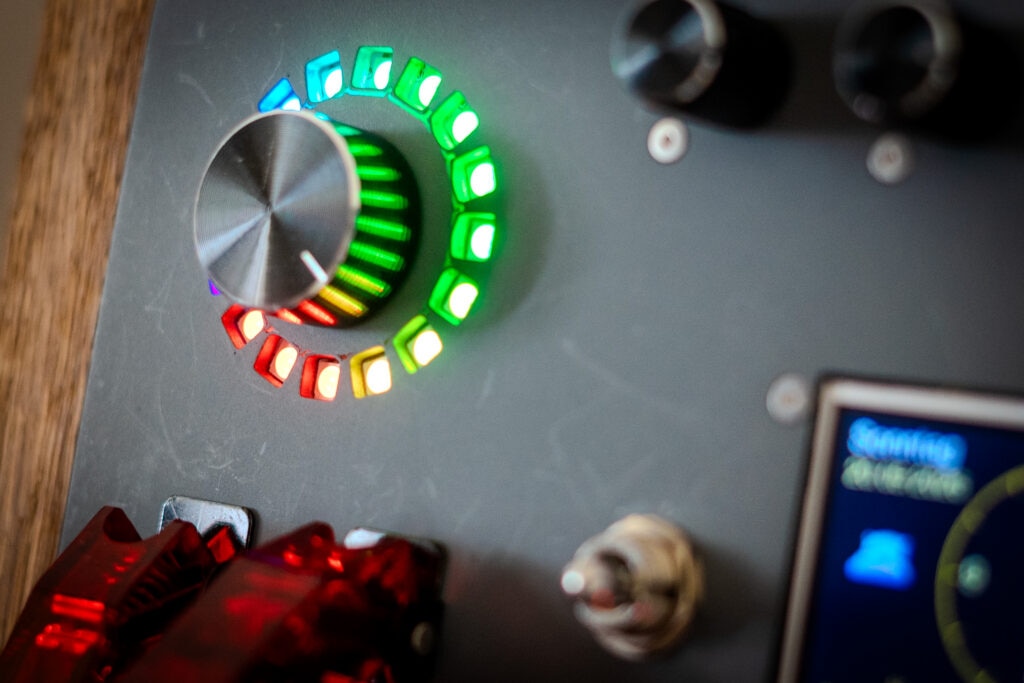
Other functions remain entirely local. LEDs and visual effects, for example, do not need the smart home at all. That distinction became useful: not every button press needs a server, an automation or a network request.
The hardware
At the centre is an ESP32, surrounded by a deliberately eclectic collection of hardware: physical switches and buttons, a WS2812B LED ring, RFID reader, character and graphical displays, presence sensing and audio hardware.
There is no attempt to make all of these interfaces look identical. That is partly the point. A character LCD feels different from a colour TFT. A physical switch communicates differently from a touchscreen. Together they make the console feel more like an instrument panel than an app transferred into a box.
Building the object
The enclosure became almost as important as the electronics.
The front panel had to accommodate the controls and displays while remaining understandable and robust enough for everyday use. Its angle was chosen so that the console could sit naturally on a table and still be easy to operate.
At the same time, the enclosure became part of the audio system. Rather than treating the loudspeaker as an afterthought, the rear volume could function as its enclosure.
This is where a project that had started as electronics increasingly became industrial design: dimensions, viewing angles, materials, sound, cable routing and the physical relationship between all the controls began influencing one another.
Software that stays in the background
The controller runs on ESPHome and communicates with Home Assistant. This makes it possible to expose physical inputs as events and connect them to the rest of the house without putting all of the logic onto the device itself.
But I wanted the console to retain some independence. Immediate visual responses can happen locally, while Home Assistant handles the things that actually belong to the home.
That separation also makes the device feel more responsive. Pressing a button should produce feedback because a button was pressed — not only after several layers of home automation have agreed that something happened.
What I learned
The most useful lesson from the project was not about microcontrollers.
Designing something for a child changes the criteria for a successful interface. Efficiency is not always the goal. Discoverability matters. Physical feedback matters. Sometimes redundancy is enjoyable. And sometimes a button deserves to exist simply because pressing it feels good.
It also reminded me why I enjoy building physical things. Software can make an idea possible, but an object has weight, resistance, sound and imperfections. You interact with it differently.
The result
What began as a collection of technical ideas became something much more coherent: a personal control console connected to the house, but designed around one particular user.
It can control real things. It can play music. It can react to RFID cards. It can display information. And some parts exist for no reason other than being fun to use.
That last part may be the most important one.
What’s next
Like most projects I enjoy, it is not really finished.
Some functions will change once they have been used for a while. New RFID interactions can be added. The displays can evolve. And inevitably there will be ideas that only appear once the controller has become part of everyday life.
For now, though, the best test is very simple:
Does someone walk up to it and immediately want to press something?